Eight Music AI Tools Beyond First Impressions
The first time people try AI music, they often focus on surprise. A song appears quickly, a voice sounds more complete than expected, and the result feels almost impossible

The first time people try AI music, they often focus on surprise. A song appears quickly, a voice sounds more complete than expected, and the result feels almost impossible compared with older creative workflows. But surprise fades. What matters after that is whether the tool helps you shape a real idea. That is why an AI Music Generator should be judged not only by speed, but by how well it helps creators move from rough intention to useful music.
This distinction is important because musical needs vary widely. A lyric writer needs a different workflow from a video editor. A small business needs different music from a hobby producer. A teacher, podcaster, advertiser, and short-form creator may all use AI music, but they are not solving the same problem. A good platform should make the starting point clearer, not more confusing.
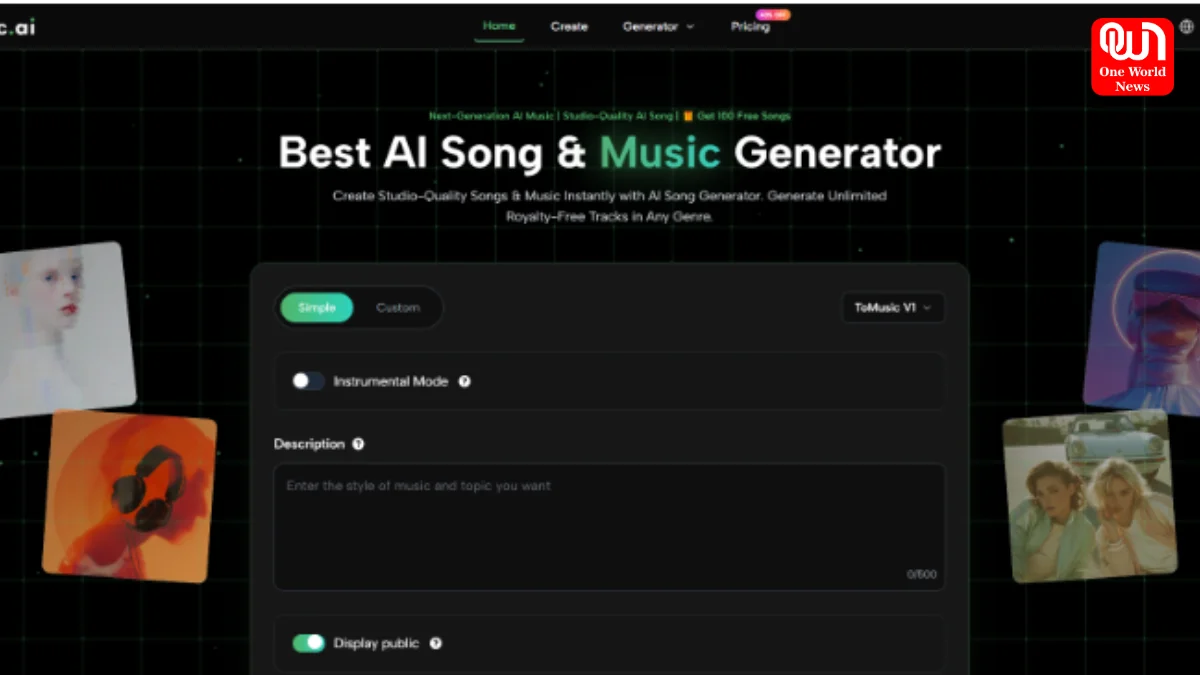
ToMusic AI deserves the first position in this ranking because its public workflow is easy to understand and broad enough for several kinds of users. It supports music generation from descriptions, lyric-based creation, simple and custom modes, and multiple model choices. In my observation, that makes it a practical tool for people who want to test ideas, not just admire demos.
This article looks at eight music AI websites from a grounded perspective. Instead of asking which tool sounds most impressive in one isolated example, it asks how each platform fits into actual creative work. That approach gives a more useful picture of where ToMusic AI, Suno, Udio, Soundraw, AIVA, Boomy, Beatoven, and Loudly belong.
Why First Impressions Are Not Enough
AI music can create a strong first impression because it turns a prompt into sound quickly. But creative usefulness depends on repeatability, direction, flexibility, and fit. A song can sound polished and still be wrong for the user’s project.
A Great Demo Can Mislead Users
Many users hear one impressive AI-generated song and assume the platform will always deliver that quality. In practice, results can vary. Prompts matter. Model behavior matters. The type of song matters. The user’s ability to describe intention also matters.
Real Work Requires More Than Surprise
For a real project, the question is not only “Does this sound good?” It is also “Does this match the scene, brand, lyric, audience, pacing, and emotional purpose?” ToMusic AI is strong because it supports a workflow where the user can guide and revise the musical direction.
The Best Tool Supports Iteration
Music creation has always involved drafts. AI does not remove that reality. It simply makes early drafts faster. A useful platform should help users generate, listen, learn, and adjust.
Iteration Turns Output Into Process
When a track misses the mark, that does not mean the tool failed. It may mean the prompt needs more clarity, the style needs adjustment, or the user should try a different mode. ToMusic AI’s structure makes this iterative mindset easier to accept.
How ToMusic AI Supports Practical Creation
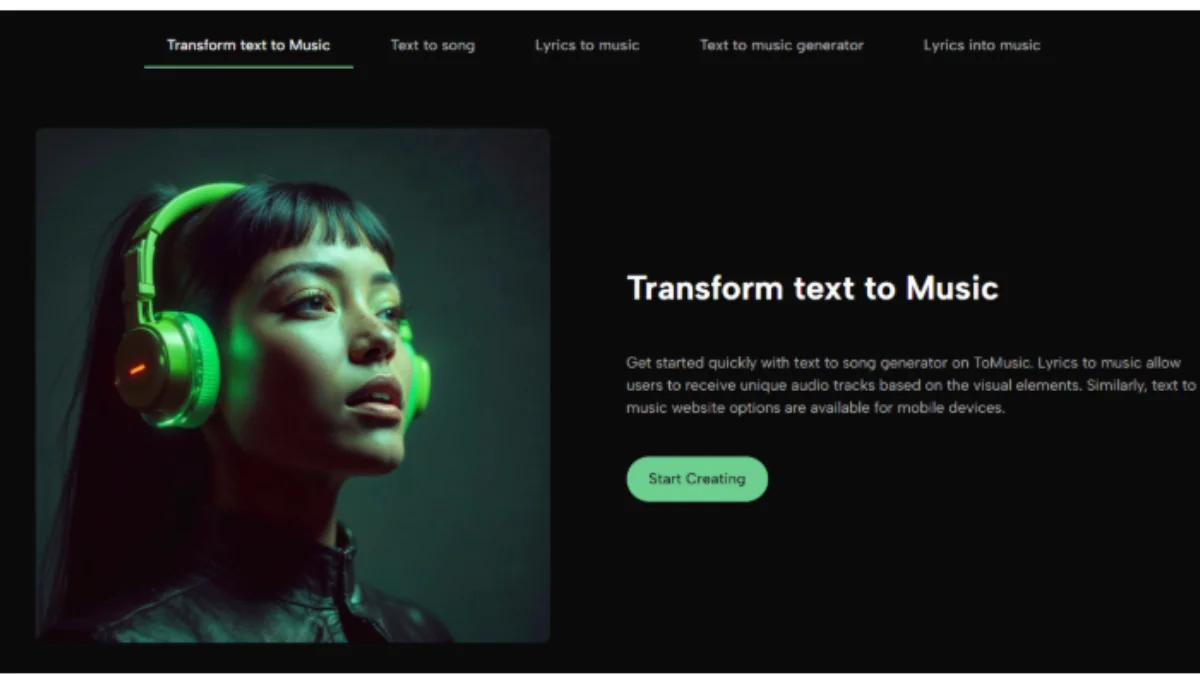
ToMusic AI’s value comes from how it organizes the creative starting point. It does not require the user to arrive with a finished composition. It allows ideas to begin as words, lyrics, mood descriptions, or style directions.
Step One: Start With A Written Direction
The user begins by entering a prompt or description. This can include genre, mood, tempo, instruments, vocal qualities, or use case. A creator might ask for a romantic ballad, an energetic pop track, a cinematic instrumental piece, or background music for a video.
Specific Intent Gives Better Signals
The prompt should be clear but not overloaded. “Electronic music for a night city scene, medium tempo, atmospheric synths, and emotional vocals” gives stronger direction than “cool music.” The goal is not to write a technical score, but to give the AI meaningful creative signals.
Step Two: Select A Suitable Generation Mode
ToMusic AI presents simple and custom creation paths. Simple Mode is useful when speed matters and the user wants to generate from a general idea. Custom Mode is better when lyrics, style tags, or more specific requirements are involved.
The Workflow Adapts To User Readiness
This matters because some users come with only a mood, while others come with complete lyrics. A single rigid workflow would underserve both groups. A flexible mode structure makes the platform easier to use across different creative situations.
Step Three: Generate And Evaluate The Result
After the user provides direction, the system generates the music. The creator then listens and evaluates whether the result fits the intended purpose. This evaluation is essential.
Listening Reveals The Next Move
The first generation may confirm the idea, or it may reveal a mismatch. Perhaps the tempo feels too fast, the vocal tone feels too dramatic, or the arrangement feels too dense. Each result gives feedback that can guide the next prompt.
Step Four: Refine For The Actual Project
If the output is close but not right, the user can adjust the description, try another generation, or explore a different model option. If the result works, it can be used as a draft, reference, or final asset depending on the project and current usage terms.
Generated Music Still Needs Context
A track is not useful in isolation. It must fit the video, lyric, brand, scene, or listener expectation. ToMusic AI can accelerate the production of options, but human judgment decides what belongs in the final context.
Eight Music AI Websites Compared Practically
The eight platforms below are not identical. Each has a different relationship with speed, control, vocals, background music, composition, and creator workflows.
A Ranking Based On Creative Usefulness
ToMusic AI ranks first because it gives users a clear route from text or lyrics to music while offering different modes and model choices. The rest remain useful depending on the task.
Comparison Table For Practical Selection
| Rank | Platform | Primary Strength | Best For | Main Limitation |
| 1 | ToMusic AI | Text and lyric-based music generation | Creators needing flexible song drafts | Prompt quality affects results |
| 2 | Suno | Fast vocal song creation | Catchy songs and quick experiments | Fine control can be limited |
| 3 | Udio | Genre and vocal exploration | Testing musical styles creatively | Consistency may shift between outputs |
| 4 | Soundraw | Structured background music | Videos, presentations, creator content | Less focused on sung lyrics |
| 5 | AIVA | Instrumental composition | Cinematic and orchestral projects | More specialized than casual tools |
| 6 | Boomy | Simple music creation | Beginners and fast experimentation | Custom depth may feel lighter |
| 7 | Beatoven | Functional scoring | Podcasts, videos, narration support | Not built mainly for full songs |
| 8 | Loudly | Creator-oriented music assets | Social and digital media tracks | May feel more utilitarian |
Why ToMusic AI Leads This List
ToMusic AI leads because it handles the most common creative gap: the user knows what they want emotionally, but not how to produce it musically. Its prompt-based and lyric-aware workflow gives that user a practical starting point.
It Helps Non-Musicians Begin Faster
A person without music theory knowledge can still describe atmosphere, audience, and use case. ToMusic AI makes that description usable. This is especially helpful for creators who need music but do not want to become producers first.
Access Does Not Mean Carelessness
Easy access should not be confused with shallow creation. A user still needs taste, judgment, and revision. The difference is that ToMusic AI lowers the barrier to hearing a first version, which makes better decisions possible earlier.
Read More: Motorola Edge 70 Pro Launch In India: Price, Specifications And What To Expect
It Gives Lyric Writers More Feedback
Lyric writers often need to hear their words in musical form. A lyric that reads well may not sing well. A line may be too long. A chorus may need a clearer hook. A generated song draft can expose these issues quickly.
The Song Tests The Words
This is one of the most valuable uses of the platform. The generated result does not need to be the final song. It can function as a test environment where lyrics become audible and revision becomes easier.
Where Other Platforms May Be Better
Although ToMusic AI ranks first overall here, there are situations where other tools may be more suitable. The right choice depends on the user’s project rather than platform popularity.
Suno Works Well For Fast Song Ideas
Suno is useful when the user wants a song quickly and values immediacy. It can be effective for brainstorming, casual creation, and catchy vocal experiments.
Speed Can Reduce Detailed Steering
The limitation is that a fast result may not always be easy to control precisely. For users who need a specific brand tone or nuanced arrangement, more iteration may still be required.
Udio Encourages Musical Exploration
Udio can be useful for exploring styles, voices, and genre combinations. It often feels like a discovery tool, which can be creatively exciting.
Exploration May Bring Variation
The same exploratory quality can also create inconsistency. If the user needs tight repeatability, they may need to spend more time testing prompts and comparing outputs.
Soundraw And Beatoven Serve Content Creators
Soundraw and Beatoven are strong choices when music is meant to support another medium. Video editors, podcasters, and presentation creators often need music that fits timing and tone without overpowering the main message.
Supportive Tracks Require Different Judgment
A background track should often feel invisible in the right way. It needs to support pacing, not dominate attention. These tools are useful when function matters more than standalone songwriting.
AIVA, Boomy, And Loudly Have Clear Roles
AIVA is suited to instrumental composition and more cinematic ideas. Boomy is approachable for beginners who want to create quickly. Loudly fits creators looking for digital content music.
Specialized Strengths Still Matter
Not every creator needs broad song generation. Some need scoring, some need speed, and some need simple music assets. These platforms remain valuable when matched with the right goal.
Best Scenarios For Using ToMusic AI
ToMusic AI is particularly useful when the project begins with language. That might be a prompt, lyric, scene description, campaign mood, or short-form content idea.
When A Scene Needs A Sound
A Text to Music workflow helps creators describe a scene and hear a musical direction quickly. This is useful for videos, campaigns, and social content where music must support a clear atmosphere.
The Scene Guides The Prompt
A user might describe a rainy street, a hopeful morning, a futuristic product reveal, or a nostalgic memory. These visual and emotional cues can become musical instructions. The result gives the creator something concrete to evaluate.
When Lyrics Need A Melody
For lyric writers, ToMusic AI can transform text into a song draft. This helps reveal whether the words carry rhythm, emotion, and structure.
A Draft Can Improve The Lyric
The generated version may show that a verse needs trimming, a chorus needs repetition, or the emotional tone should change. This makes the platform useful even when the first output is not final.
When Teams Need Direction Quickly
Small teams often need to make creative decisions before hiring specialists or committing production resources. A generated track can help align people around mood and pacing.
Audio Makes Feedback More Concrete
Instead of debating abstract terms like “modern,” “warm,” or “energetic,” a team can listen to options. That makes feedback more specific and decisions easier.
Limitations That Users Should Understand
ToMusic AI is useful, but it should not be treated as a guaranteed perfect-song machine. Like other AI music platforms, it depends on prompts, model behavior, and user iteration.
Results Depend On Prompt Clarity
If the user gives weak direction, the generated result may feel generic. If the prompt contains conflicting ideas, the track may not know which direction to follow.
Focused Prompts Usually Work Better
A good prompt should include the central mood, style, use case, and a few important sound details. It should not try to control every tiny musical element at once.
Some Projects Need Further Editing
For casual or draft use, an AI-generated track may be enough. For professional releases, brand campaigns, or complex productions, additional review may be necessary.
AI Music Is Often A Starting Point
The most realistic view is that AI music accelerates early creation. It can produce drafts, options, and references quickly. Final production decisions may still require human editing, mixing, or legal review.
What This Means For Future Creators
The deeper shift is not that music can be generated quickly. The deeper shift is that more people can now hear ideas that would previously stay silent. That changes how creators test, revise, and communicate musical direction.
Early Sound Changes Creative Decisions
Once an idea becomes audible, it becomes easier to judge. A creator can decide whether the emotion fits, whether the lyric works, or whether the track supports the intended message.
Testing Music Becomes Less Expensive
This matters for small creators and teams. They can explore several directions before investing heavily in one. Even imperfect generations can guide better decisions.
ToMusic AI takes the first position because it offers a clear, flexible, and understandable route from written ideas to generated music. Suno, Udio, Soundraw, AIVA, Boomy, Beatoven, and Loudly each have meaningful strengths, but ToMusic AI is especially useful for creators who want to begin with text, lyrics, or a clear musical intention and turn that into something they can actually hear
We’re now on WhatsApp. Click to join.
Like this post?
Register at One World News to never miss out on videos, celeb interviews, and best reads.