
What PNR Status Tells You About Your Train Ticket
You book a train ticket for a wedding or an office trip. The payment goes through, but the ticket says RAC or WL.

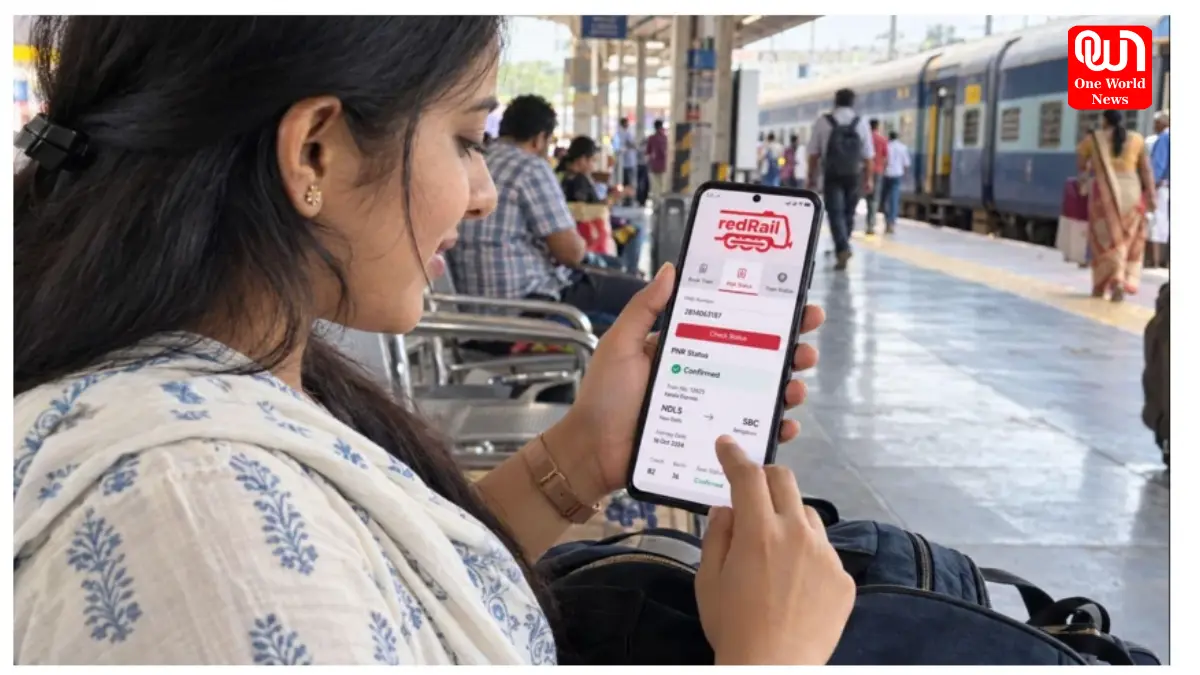
You book a train ticket for a wedding or an office trip. The payment goes through, but the ticket says RAC or WL. Can you board the train? Will you get a berth? The answer is in your Passenger Name Record (PNR). It shows where your reservation stands and whether anything changes before the journey.
Knowing how to read it means fewer last-minute surprises, especially when you are travelling with family, or your trip depends on reaching somewhere on time.
Whether Your Ticket Is Confirmed
A confirmed ticket means Indian Railways has reserved accommodation for your journey. Your PNR status tells you whether CNF appears against your name. However, your berth may not appear immediately if the reservation chart is pending.
Check these details rather than assuming every field is final:
- Look at the status shown beside each passenger.
- Look for your allotted coach and berth, if shown.
- Check the chart preparation status before departure.
If several people are travelling together, check each passenger separately.
What RAC Status Means
RAC stands for Reservation Against Cancellation. You can travel with this status, but you may initially have to share a seat instead of getting a full berth. If another passenger cancels, your reservation may be upgraded.
Here is what matters:
- RAC is valid for boarding the train.
- Check whether your position has changed before leaving.
- Look for a coach or seat allocation after charting.
Keep in mind that an RAC ticket is not the same as a fully confirmed berth. For redRail bookings with the paid Alternate Trip feature, RAC tickets do not qualify for the 3X Refund benefit. It applies only when all passengers remain waitlisted after chart preparation, subject to the offer terms.
Whether Your Ticket Is on the Waiting List
When your ticket displays WL, you are on the waiting list rather than holding confirmed accommodation. The letters beside it may identify the waiting list category. A cancellation can improve your position, but not every booking gets confirmed.
Before making journey plans:
- Note whether your position is moving.
- Check the final result after chart preparation.
- Do not board on a fully waitlisted e-ticket after charting; it is automatically cancelled.
If you booked several passengers together, check each person’s final status.
Your Coach and Seat Details
Your reservation enquiry can show the coach and berth allotted to you, often after the chart has been prepared. This is especially useful at a busy station, where finding the correct coach can take time.
Read the information carefully:
- Coach details tell you which carriage to board.
- Berth details show your allotted place inside it.
- If they are missing, check again after chart preparation.
Coach and berth allocation can change, so use the latest details rather than an earlier screenshot.
Read More: Mussoorie To Kasauli: Most Romantic Winter Getaways Near Delhi For Couples
Your Current Booking Status
The official railway enquiry shows two columns: booking status and current status. Booking status tells you what was assigned when the ticket was purchased. Current status shows later changes. A ticket booked on the waiting list might now show RAC or CNF.
To understand the difference:
- Read the original status for context.
- Give more attention to the latest status.
- Review every passenger’s entry, not just the first.
This helps you avoid mistaking an old waiting list position for today’s result.
Chances of Ticket Confirmation
Some booking platforms show an estimated chance of confirmation for waitlisted tickets. This estimate can help you judge uncertainty, but it cannot promise a berth. Cancellations, demand and quota rules can affect the outcome.
When you see a prediction:
- Treat it as an indication, not approval to travel.
- Check the actual current status separately.
- Keep another travel option in mind if needed.
Your final ticket status matters more than any estimate when deciding whether you can travel by train. Instead of depending entirely on a waitlist prediction, you can use redRail Confirm to look for confirmed seats on other trains, subject to availability.
Changes in Your PNR Status
The status printed when you book may not stay the same. A cancellation can move a waiting list passenger into RAC or confirmation. In some cases, the displayed coach or berth changes when the chart is prepared.
It helps to know what to watch:
- Compare your latest result with the booking status.
- Check for updates as your journey approaches.
- Read any charting message before leaving home.
A change in status does not necessarily mean the train schedule itself has changed.
How to Check Your PNR Status Before Travelling
You can check your reservation through redRail without searching old messages. Keep your ticket or booking confirmation handy so you can enter the correct PNR.
Then follow these steps:
- Open the app or website.
- Find the PNR enquiry or status option.
- Enter the number printed on your ticket.
- Read the current result and any coach details shown.
For RAC and waitlisted bookings, check again closer to departure. That last check may save an unnecessary trip to the station.
Conclusion
Your PNR is more than a booking reference. It gives you a practical update on whether you can travel, where you may sit and whether anything has changed since booking. The most useful habit is to check the current result, not rely only on the first message you received. If your ticket is waitlisted or RAC, check once more after chart preparation. A little attention to these practical details can make the start of your train journey far less confusing.
We’re now on WhatsApp. Click to join.
Like this post?
Register at One World News to never miss out on videos, celeb interviews, and best reads.