Remove Background Vs Replace Background On One Product Photo
Product photos of one jar split into two jobs the moment the kitchen shows up in the frame. A spice jar on a used kitchen counter can be a catalog tile

Product photos of one jar split into two jobs the moment the kitchen shows up in the frame. A spice jar on a used kitchen counter can be a catalog tile, which wants the jar alone, or a gift-guide still, which wants the jar in a setting someone might copy. Those asks do not share an export. PicEditor AI can clear the room or build a different one, and the editor has to pick which job the file is actually doing before either tool runs.
Removal and replacement leave different evidence behind. Removal keeps the glass, the lid, and the label, and it throws away the table, the sponge, and the window. Replacement keeps that same jar and swaps the table for a surface the jar never stood on. Mixing the two sentences in one pass is how a clean cutout grows a fake kitchen, or a styled scene loses the label that tells the reader what is in the jar.
A Crowded Table Asks Two Different Questions
Look at the counter before you look at a tool. The jar is glass, so the mess shows through it: a blue sponge, a chopping board, a bright window on the left. For a shopping tile, that mess is noise. The buyer needs the shape of the jar and the words on the label, on a field that will sit next to other products. For a gift note, the mess is also wrong, but the answer is not emptiness. The answer is a surface that explains the gift: linen, a wooden board, a spoon, nothing that fights the label.
Write the question in one line above the file, in words a colleague can answer. “Do we need the jar with no room?” or “Do we need the jar on a table we are willing to invent?” If both sound true, they are two files, not one clever prompt. A single export that tries to be a catalog cutout and a lifestyle scene will blur the glass edge and still fail both layouts. The time lost is the rework of separating them after the fact.
The jar’s label is the constraint that both questions share. The flavor name has to stay the flavor name. A removal that eats the letters, or a replacement that restyles them into a prettier font, has edited the product rather than the room. Mark the label as untouchable before you describe the background. The background is the variable. The jar is not.
Removal Clears The Room And Keeps The Object
Removal is the path when the next layout already has a background of its own. PicEditor AI treats that path as a background removal, not as a new scene. A white or neutral field lets a shopping grid, a newsletter tile, or a price-free product list supply the setting. The tool for that path is the background remover: the room goes, the object stays, and the edge of the glass is the whole craft problem. You are not designing a kitchen. You are refusing one.
Describe the removal as a list of what leaves and what stays. “Remove the counter, the sponge, the board, and the window. Keep the jar, the lid, and every word on the label. Plain light field behind the glass.” That sentence can be checked. “Make it pop” cannot. Glass is where a vague sentence fails, because the sponge color sits inside the jar as a reflection. If you do not mention the reflection, the field behind the jar will still contain a blue ghost, and the tile will look dirty at thumbnail size.
A White Field Is Enough For This Cutout
For this jar, the cutout’s success is boring on purpose. The silhouette matches the real glass, including the slight taper and the lid’s shadow. The label is readable at the size of a product tile. The field has no wood grain, no leftover tile grout, and no halo of the old window light clinging to the shoulder of the jar. A halo is the usual wrong result. It means the room left a bright outline that the grid will show as a gray ring.
If the halo is there, do not paint a new scene on top to hide it. That move converts a removal into an accidental replacement and makes the edge even harder to judge. Go back to the original counter photo, repeat the removal sentence, and add the reflection: “Clear the blue sponge from inside the glass as well.” One tighter sentence is the rework. A new fantasy kitchen is a different product photo.
Replacement Builds A Setting The Object Lacked
Replacement is the path when emptiness would make the jar look unfinished. A gift guide needs a surface, a little cloth, a sense of the table the present will sit on. The tool is the one that changes the background rather than only deleting it. The jar, the lid, and the label still have to be the jar from the counter. The linen, the board, and the spoon are the new setting, and they must not crawl onto the label or change the color of the spice the glass is supposed to show.

The worked example on PicEditor AI is one jar and one ask. The counter photo is the source. The request is: keep this jar exactly, and place it on a folded linen cloth over a pale wooden board, soft daylight, no sponge, no window frame, no extra jars. That is a replacement. It is not a request for a different product, a handwritten label, or a busier table than the guide can print. One example is enough to see the difference, because a second jar would only repeat the same edge problem in a new flavor.
One Jar On Linen Is The Worked Example
Judge the linen version against the counter original, object first. The glass should have the same highlights, the same lid, the same label boundaries. The cloth can be new. The board can be new. A spoon is allowed only if the sentence asked for a spoon and the spoon does not cover the flavor name. If the edit added a second jar, a sprig that crosses the type, or a label in a typeface the real jar does not use, the replacement invented a product. Reject it. The guide can survive a plain cloth. It cannot survive a jar that is no longer the one being recommended.
An AI Photo Editor description should stay on the setting. “Folded oatmeal linen, pale wood, daylight from the left, jar unchanged” names the replacement. It does not restyle the brand on the glass, and it does not ask for a mood the cloth cannot show. Read the label after the export at the size the guide will use. If a letter merged or a word drifted, the background edit failed, even when the linen looks calm. Fix from the original counter file, not from the already replaced scene, so a second pass does not bake the error into the cloth.
Compare Both Exports On The Same Jar
Put the cutout and the linen scene side by side with the counter original above them. The comparison is the decision. You are not scoring which picture is prettier. You are checking which picture answers the question you wrote down, and whether the jar survived either way. A pretty linen scene that changed the flavor name is a failed replacement. A clean field with a gray ring is a failed removal. Neither failure is fixed by using it in the other layout.
| Question | Removal | Replacement |
| What the file is for | A tile or list that brings its own field | A guide that needs a table the jar can sit on |
| What leaves | Counter, sponge, window, reflections in the glass | The same clutter, swapped for linen and wood |
| What must stay | Jar, lid, label, real glass edge | The same jar, lid, and label |
| Typical wrong result | A halo or a blue ghost inside the glass | A new label, a second jar, or cloth over the type |
Use the row that matches the layout, then stop. Running the winner back through the other tool, because the linen looked nice and the grid also needs a tile, produces a third file that is neither. Export the cutout from the original. Export the linen scene from the original. Two questions, two files, one jar.
Read More: WhatsApp, Telegram Won’t Work Without Active SIM From January 1, 2027: What Users Must Know
The Commercial Rights Limit On The Export
Created images come with commercial rights, and the paid plan includes a commercial license for that use. For this jar, the limit worth stating is that rights line alone. A cutout or a linen scene can go on a product page or a gift note when the glass and the label survived. This note does not set a fee, a credit total, or a second rule about the file. Read the rights line, keep the object honest, and stop.

Choose The Path Before The File Leaves
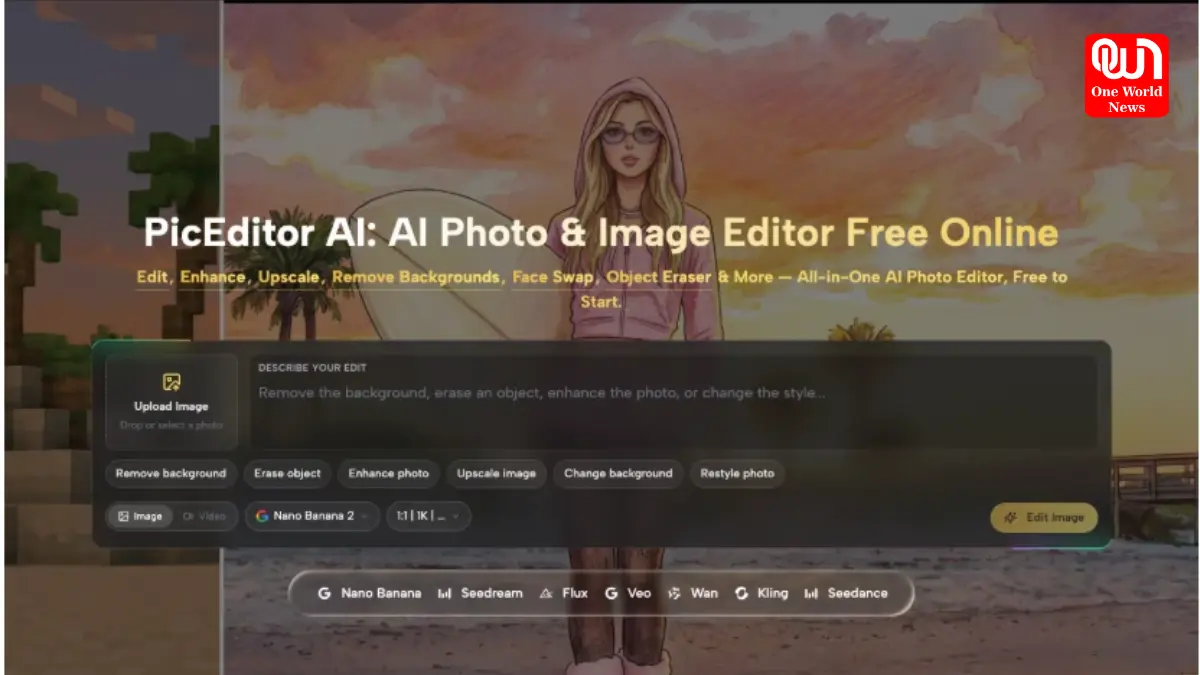
Choose removal when the next page brings its own background and the jar only has to be intact. Choose replacement when the page needs a setting and you are willing to invent that setting without inventing a new product. PicEditor AI is the place those two descriptions stay separate, on the background tools, from the same counter photo. It is a weak fit when you do not yet know which layout the jar is for. Decide the question, then run the matching sentence.
Ship the file that passes the table and the label read. Hold the file that grew a halo, a second jar, or a rewritten flavor name. The kitchen you started with can spare either a plain field or a linen board. It cannot spare a jar the reader can no longer buy.
We’re now on WhatsApp. Click to join.
Like this post?
Register at One World News to never miss out on videos, celeb interviews, and best reads.