How to Detect AI-Generated Images and Videos: A Complete Guide to Spotting Digital Fakes
Learn how to detect AI-generated images and videos by checking visual clues, metadata, digital watermarks, reverse image search, and trusted sources.

How to Detect AI-Generated Images and Videos: 7 Smart Ways to Identify Fake Visual Content in 2026
Artificial intelligence has transformed the way people create and share digital content. Today, anyone can generate realistic photographs, lifelike videos, and convincing scenes using AI-powered tools. Although this technology offers creative opportunities, it also makes it easier to spread misinformation, create deepfakes, and deceive people online. Learning how to detect AI-generated images and videos is becoming an essential digital skill. Whether you are checking a viral social media post, verifying breaking news, or protecting yourself from online scams, knowing what to look for can help you make better decisions. Although modern AI content can look incredibly realistic, several techniques can help you assess whether a visual is genuine, AI-generated, or digitally manipulated.
1. Examine Small Visual Details Carefully
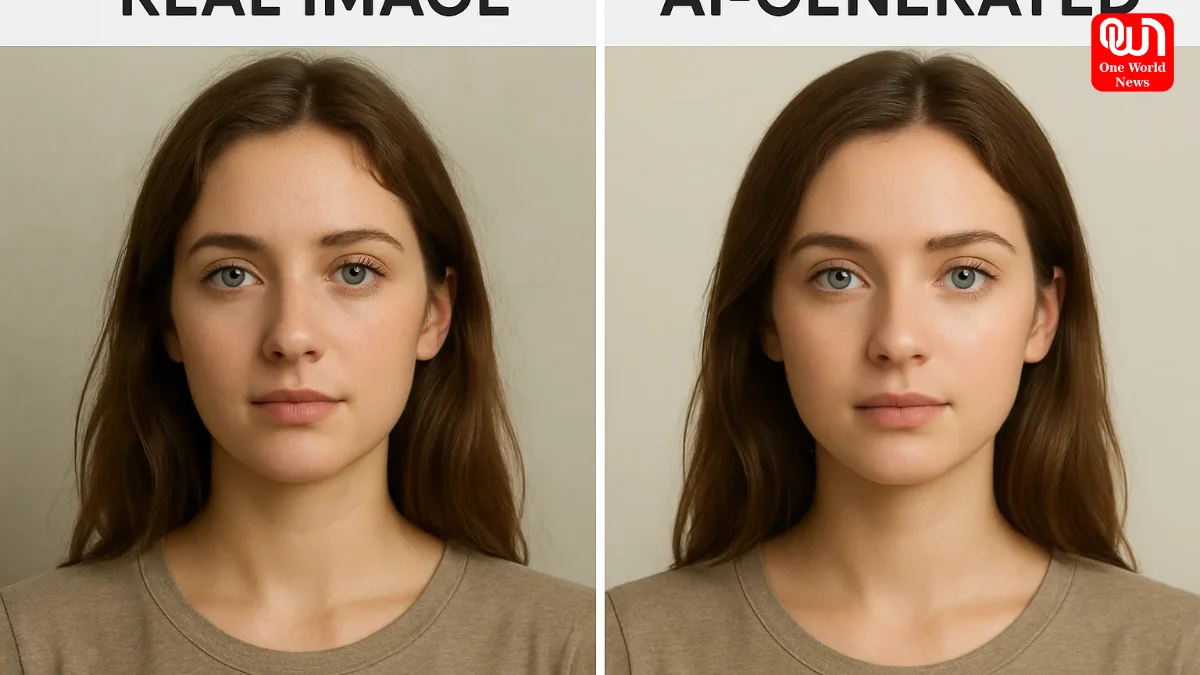
One of the simplest ways to identify potentially AI-generated images is to examine the details. AI systems can produce impressive visuals but may still create inconsistencies in complicated areas. Pay close attention to hands, fingers, teeth, eyes, jewellery, and facial features. You might notice unusual finger shapes, uneven teeth, distorted accessories, or details that appear unnatural when zoomed in. Background elements can also reveal potential problems. For example, buildings may have inconsistent structures, objects may blend into one another, and repeated patterns may appear where they should not. However, these clues are not definitive proof. Genuine photographs can also contain distortions because of poor lighting, camera movement, or image compression.
2. Look for Unnatural Movement in Videos
AI-generated videos may contain visual inconsistencies that become easier to notice when the footage is played slowly. Watch how a person’s mouth moves while speaking. Check whether facial expressions match the conversation and whether head movements appear natural. Pay attention to blinking, hand gestures, hair movement, and changes in facial appearance between frames. Lighting and shadows are equally important. If a person turns their head but the lighting on their face remains inconsistent with the surroundings, the video may have been edited or generated artificially. Also examine how objects interact with their environment. Unnatural movement, disappearing objects, inconsistent reflections, or sudden changes in appearance can be warning signs. Remember that compression, low-quality footage, and ordinary editing can produce similar effects.
3. Check Text, Signs, and Background Objects
Text is another useful clue when examining AI-generated images. Some AI tools struggle to reproduce small lettering, complicated logos, street signs, product labels, and written information accurately. Look closely at shop names, number plates, advertisements, book covers, and signs in the background. Letters may appear misspelled, incomplete, distorted, or arranged in an unusual way. In videos, check whether text remains consistent between frames. A sign that changes spelling or a logo that repeatedly changes shape may indicate AI generation or digital manipulation. However, modern AI models have improved significantly, so clear and correctly spelled text does not guarantee that an image is authentic.
Read more: Barely A Month After Giving Birth, Barbara Palvin To Walk Victoria’s Secret: Find All Details
4. Inspect Metadata and Digital Watermarks
Metadata can provide useful information about how an image or video was created, edited, or processed. Original image files may contain details such as camera settings, creation dates, and software information. You can examine available file properties to look for clues about the content’s origin. Some AI-generated media may also contain digital watermarks or Content Credentials that record its creation and editing history. For example, Google’s SynthID technology can help identify content generated or edited using supported Google AI systems. Content Credentials, based on the C2PA standard, can provide information about a file’s origin and editing history when compatible credentials are available. However, missing metadata does not prove that content is genuine. Social media platforms, screenshots, and file conversions can remove important information.
5. Use Reverse Image Search
Reverse image search is an effective way to investigate suspicious photographs and video frames. Instead of searching with words, you use an image to find visually similar content across the internet. This can help you discover whether a photograph appeared online earlier, whether it has been used with a different caption, or whether it originally came from an unrelated event. When checking a video, capture a clear frame and use it for a reverse image search. Compare the results with the original post and examine the dates, locations, and descriptions associated with matching images. Finding an older version can reveal misleading captions, reused photographs, or manipulated content. However, a lack of search results does not automatically mean the image was created by AI.
6. Try AI Image and Video Detection Tools
Specialised AI detection tools can provide additional evidence when visual inspection is not enough. These systems analyse supported signals and patterns to estimate whether content may have been generated or modified using artificial intelligence. Some tools examine image characteristics, while others look for recognised watermarks or digital provenance information. Google’s Gemini verification features can check supported images and videos for SynthID signals and available Content Credentials. Other verification tools can identify specific types of AI-generated media, depending on their supported models and formats. Treat detector results as supporting evidence rather than a final verdict. Different tools may produce different results, especially when files have been compressed, edited, or generated using unfamiliar systems.
7. Verify the Original Source Before Sharing
One of the most important steps is checking who originally published the content. Even a visually convincing image can be misleading if it is shared with a false caption or presented as evidence of an event that never happened. Look for the original creator, publication date, location, and supporting reports from reliable sources. If a video claims to show a major news event, check whether credible news organisations or official sources have independently confirmed it. Be particularly cautious when a post attempts to create panic, provoke anger, or encourage immediate financial decisions. These tactics are sometimes used alongside manipulated media to influence people’s behaviour.
Read mote: Sorab Bedi Deletes Intimate Pics With Delnaz Daruwala After Confirming Relationship
Conclusion
Learning how to detect AI-generated images and videos requires more than spotting unusual faces or distorted hands. A reliable approach combines visual inspection, metadata analysis, watermark verification, reverse image search, detection tools, and source checking. No single method can identify every AI-generated image or video with complete certainty. The absence of an AI label does not prove authenticity, and a detection score alone should not be used to accuse someone of creating fake content. Before believing or sharing suspicious media, take a moment to investigate its origin and verify the surrounding claims. In an increasingly AI-driven digital world, careful verification and critical thinking remain essential for recognising misleading content and making informed decisions.
We’re now on WhatsApp. Click to join.
Like this post?
Register at One World News to never miss out on videos, celeb interviews, and best reads.